

GPT Image 1.5 — Create and Edit Images with Advanced AI Precision Subheading
Create highly accurate images that preserve fine details, from realistic photos and graphic elements to charts and creative visuals.
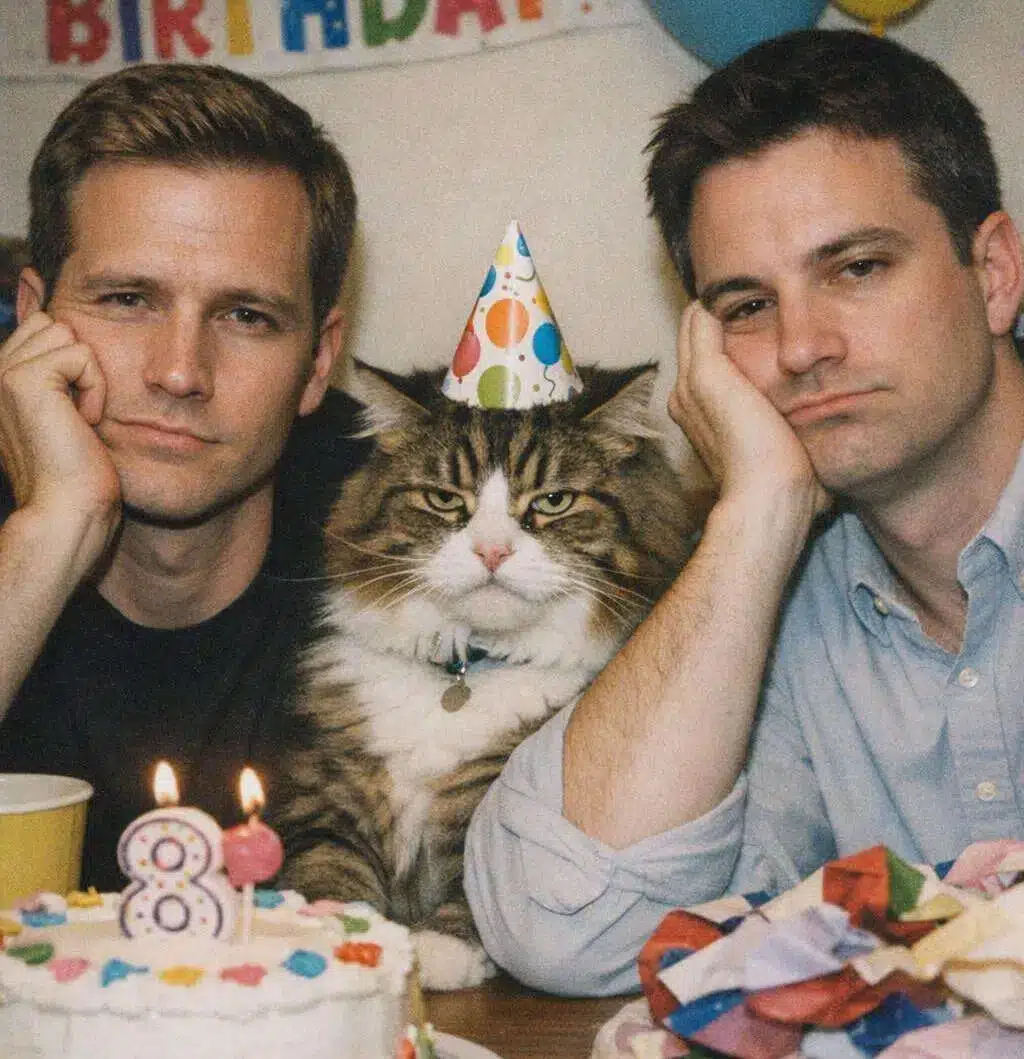
Why Choose the New ChatGPT Image Model
Flagship Image Quality
Powered by OpenAI’s latest flagship image model for high-quality image generation and editing.-
Precise Edits, Details Preserved
Modify specific elements while keeping people, facial features, and key details unchanged. -
Up to 4× Faster Generation
Generate and iterate images significantly faster for a smoother creative workflow. -
Intuitive, Effortless Creation
A more visual and intuitive image experience that makes creative exploration easy and enjoyable.
How to Use GPT Image 1.5
Describe or Upload
Enter a text prompt to generate an image, or upload an existing image you want to edit.
Generate or Edit
GPT Image 1.5 creates or modifies the image based on your instructions.
Refine and Download
Adjust your prompt, regenerate variations, or download the final image when you’re satisfied.
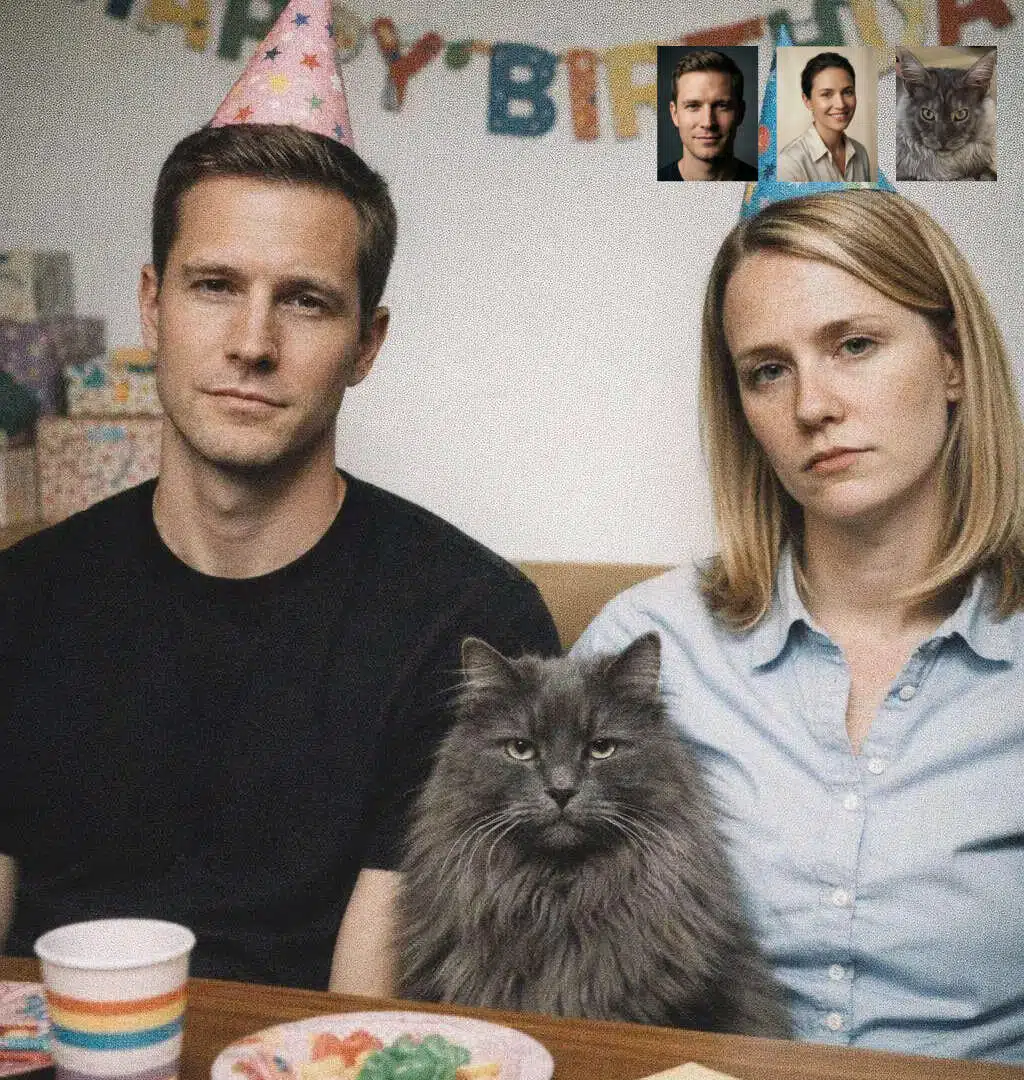
Image Generation with Preserved Details
GPT Image 1.5 is designed to generate images with a strong focus on detail preservation and visual accuracy. Whether you are creating images from scratch or refining existing visuals, the model maintains consistent structures, proportions, and visual elements, reducing unwanted changes between generations.
This makes it well suited for scenarios where visual consistency matters, such as brand assets, repeated visual elements, or iterative creative work.

Realistic Photography and Natural Visuals
The model excels at producing realistic, photography-style images with natural lighting, balanced composition, and believable textures. Generated images reflect real-world visual characteristics, making them suitable for presentations, campaigns, and professional creative projects that require a photographic look rather than an abstract illustration.
By better understanding descriptive prompts, GPT Image 1.5 delivers results that feel grounded and visually coherent.
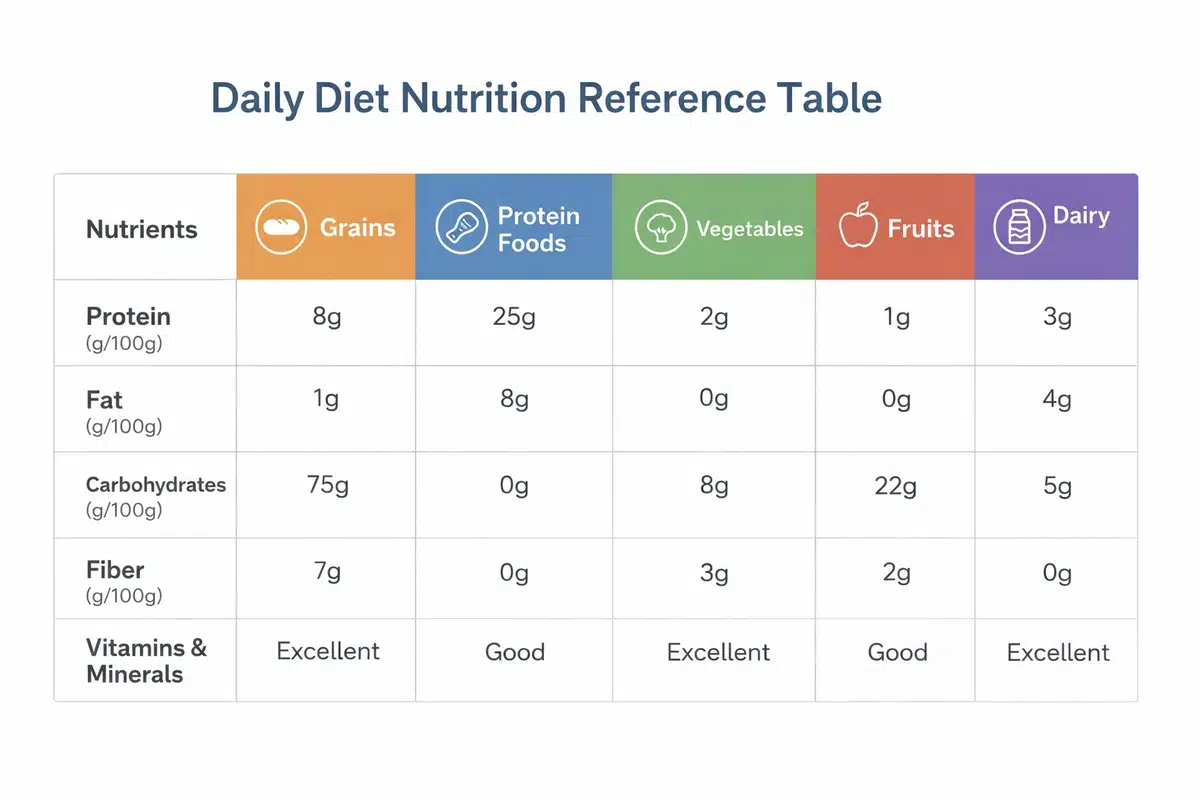
Visual Elements, Charts, and Structured Graphics
Beyond photographic images, GPT Image 1.5 can generate clear visual elements such as icons, diagrams, and charts. The model shows improved accuracy when rendering structured layouts and visual information, allowing text, labels, and graphical components to remain legible and well organized.
This capability enables the creation of explanatory visuals, data-driven graphics, and design elements that require clarity and precision.
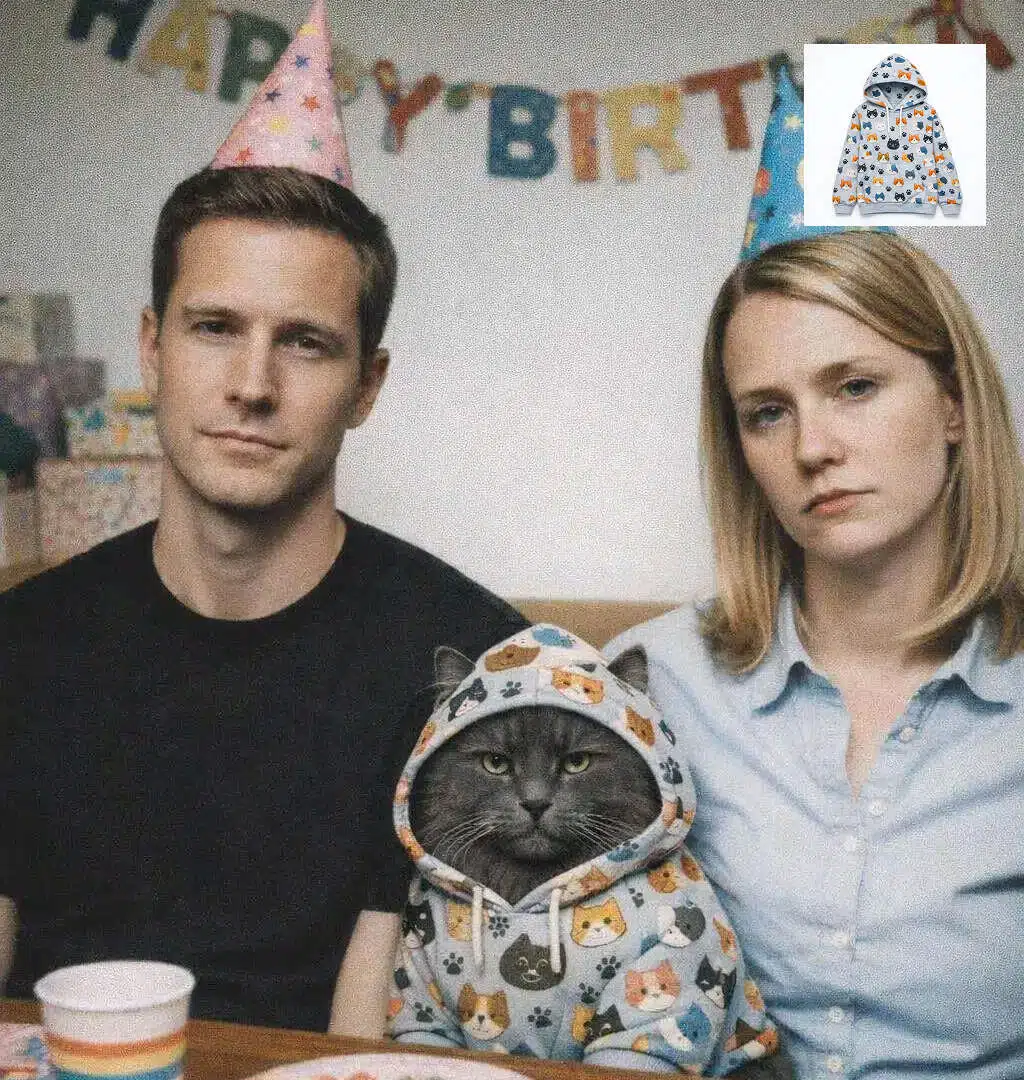
Creative Image Generation Without Losing Control
GPT Image 1.5 also supports creative image generation while maintaining control over details. From abstract visuals to imaginative concepts, the model balances creative expression with structural stability, helping users explore ideas without unpredictable results.
This combination of realism, precision, and creative flexibility makes GPT Image 1.5 suitable for a wide range of image generation needs, from practical visuals to open-ended creative exploration.
Frequently Asked Questions
What is GPT Image 1.5?
Can GPT Image 1.5 edit existing images?
Yes. You can upload an image and request specific changes while preserving the original image’s key details.
How is GPT Image 1.5 different from previous image models?
GPT Image 1.5 offers:
- More precise edits
- Better instruction following
- Improved text rendering
- Faster generation speed
- More consistent visual output
Do I need design skills to use GPT Image 1.5?
No. You can generate and edit images using natural language instructions.
Is GPT Image 1.5 available via API?
Yes. GPT Image 1.5 can be accessed through the OpenAI API, making it suitable for product integration and automated image workflows.
Create with GPT Image 1.5 on X-Design
Bring your ideas to life on X-Design — generate realistic photos, creative concepts, and visual elements with precise details and consistent results.