5 Tools to Extract & Convert Images to Text
Modern people understand the role of image-based information. It is easy to carry digital documents and learning materials. However, there are times when you need the text. And you know that the images are not editable. Manually typing the information wastes time and energy. This is where image-to-text tools enter. The right tools help you extract or convert an image to text for free. And the surprising part is that it takes only a few seconds.
No need for any software download, and many don’t even require sign-ups. So, there will be no hassle in extracting the text from an image. In this blog, you will find options that you can try. Let’s check more on extracting the text from images and tools that can help you the most.
- What Does Extracting Image to Text Mean?
- When Do You Need to Convert an Image to Text?
- How to Extract & Convert Images to Text Free Online in Seconds
- 1. Choose the right image-to-text tool.
- 2. Upload the Image
- 3. Convert Image to Text
- 4. Get the Extracted Text
- Top 5 Image-to-Text Free Online Converters
- 1. Image to Text
- 2. JPG to Text
- 3. Klippa
- 4. Fotor
- 5. OCR2Edit
- Conclusion
What Does Extracting Image to Text Mean?
Many people have a little doubt about this image-to-text concept. But it is a simple process. It means:
“converting the words inside an image into an editable and readable text.”
So, you don’t have to manually type every word of information that you want from the image. The image-to-text conversion does it automatically. This process is powered by OCR (Optical Character Recognition) technology.
OCR works by analyzing the shapes and patterns in the image. For example, the letters, numbers, and symbols. Now, it turns them into digital text. It compares them with the known characters. Then it recognizes words line by line. It is like how humans read. You can do the extraction of text from:
Screenshots
Scanned papers
Photos taken with a phone, etc.
Besides, these tools support many image formats. A few examples to note are
JPG
PNG
GIF
PDF
Therefore, you can see how this image-to-text process can give you the extraction of words you need. It makes your work easier.
When Do You Need to Convert an Image to Text?
One common use case among users is that they need to extract the text that they can use to create a flyer. And you need to extract the information from the given photo of text. Once you extract the text successfully, you can use the X-Design flyer generator to create your flyer design.
See more about when you need to convert an image to text.
Extracting text from screenshots: Usually, screenshots contain crucial information. And it cannot be copied directly. So, you need to convert it.
Converting scanned documents to editable text: Scanned PDFs and documents are commonly locked as images. Thus, image-to-text needs to make them editable without retyping everything manually.
Digitizing printed notes or books: Many students require the digital text from the printed materials. The conversion is required for better storage and long-term access. It especially matters for study or research.
How to Extract & Convert Images to Text Free Online in Seconds
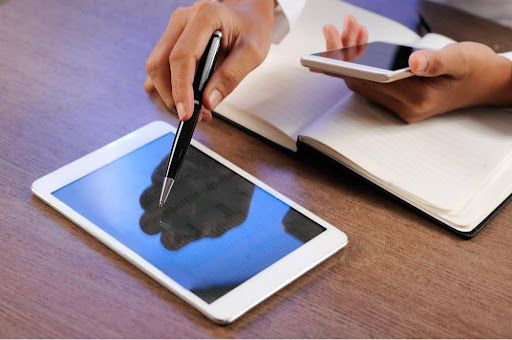
Many users feel that extracting text from an image is a challenging task. However, tech advancements have made it an easy job. An integration of AI is making the work a lot simpler than ever. It is a similar case for text extraction.
The online image-to-text AI tools follow a simple process to extract the text from the images. Below are the steps to see how!
1. Choose the right image-to-text tool.
The practical start is by choosing an image-to-text tool. Check if it is simple to use. Also, look for high accuracy to capture every word correctly. The two most common factors are to check the speed and the formats it supports. So, make a smart choice.
2. Upload the Image
After choosing the tool, pick the image you want to work on. Upload the image to start the text extraction. Many tools accept the JPG, PNG, BMP, and TIFF formats. Keep the file size right for faster processing. Be sure to use clear, high-resolution images with good readability.
3. Convert Image to Text
Now, the conversion will take place once you hit the given button to proceed. The process will scan the image and turn the text editable after detecting the characters. It will take a few seconds. The real-time processing enables you to see instant results. You can even go for quick corrections for faster and more accurate conversion.
4. Get the Extracted Text
Once the conversion is complete, copy or download the extracted text in an editable text format. For example, TXT or DOC. Now, it becomes easy to reuse the text for documents or emails. Common uses include digitizing printed pages or sharing content.
Top 5 Image-to-Text Free Online Converters
Several online text extraction tools are available. But the question is which one is a good option. A comparison can help you. Now, let’s check out the top free online image-to-text converters. These are available for faster and more accurate conversion for any user.
1. Image to Text
URL: https://www.imagetotext.info/
The first tool on the list is Image to Text. It is an online OCR solution. This tool is helping many users to easily extract the editable text from their images or documents. It has the integration of AI that converts the images into plain text or formatted text. The best part is that it maintains great accuracy. When you check it, you will see that it is free to use.
FEATURES
It supports different file formats like JPG, PNG, GIF, HEIC, PDF, etc.
The tool extracts plain and formatted text.
Multiple language support is available.
No need for registration to use.
Privacy protection is there with no data storage.
2. JPG to Text
URL: https://www.jpgtotext.com/
The next image-to-text tool to try is JPG to Text. It is a fast and reliable online OCR-based extractor. It is a great choice to save your time from manual typing. This tool is created for ease of use with a great level of privacy. The tool works excellently in your browser with no installations or ads. It is an ideal solution for professionals and students.
FEATURES
It consists of an advanced OCR with math and multilingual support.
The tool is available with FREE and premium plans.
Extracts text from formats like JPG and PNG. It also supports low-resolution images.
Download or share the extracted text easily.
No ads or CAPTCHA are present with the use.
3. Klippa
URL: https://www.klippa.com/en/ocr/image-to-text/
Another easy-to-use image-to-text converter is Klippa. It has the OCR integration to convert the images or PDF files accurately into text that is editable. You can expect the accuracy of the final conversion. It is built on AI and machine learning that goes beyond basic conversion. It automates the document processing at scale.
FEATURES
High-speed accuracy with multiple images simultaneously.
It supports diverse document types and photos.
There is support for multiple export file formats.
API and SDK integration is available.
It also has the self-learning AI that offers 99% extraction accuracy.
EXIF analysis is available with fraud detection.
4. Fotor
URL: https://www.fotor.com/features/extract-text-from-image/
Moving on to the next tool that converts images into text. Fotor is an online platform that extracts text from images quickly. It uses the OCR to efficiently convert your photos and screenshots into editable digital text. The speed of this tool is again incredible, with a free facility to use. It can save time for different users, like students and business experts.
FEATURES
This tool offers up to 99% accuracy in the converted results.
The platform supports JPG, PNG, PDF, HEIC, WebP, and more file formats.
Effective handwriting and multilingual text recognition.
One-click image text extraction is available.
Completely secure processing with automatic data deletion.
5. OCR2Edit
URL: https://www.ocr2edit.com/convert-to-txt
The final tool on the list to try is OCR2Edit. It is also an excellent image-to-text converter. It recognizes the text and then does the file conversion. You can upload your images and scanned documents to this tool and get editable text in the results. It helps users to easily copy and store the text from their files. It makes the digital paperwork simple for you.
FEATURES
It supports various files. For example, JPG, PNG, TIF, GIF, and WEBP.
The tool offers standard and advanced AI OCR for clean scans.
This platform even handles uneven documents.
The language selection in this tool improves the accuracy for multilingual files.
Easy downloads with a single click.
Conclusion
Finally, you can see that text extraction from images matters for various reasons. And free online tools are making it easy to take out the information. The files, like photos or scanned documents, can be changed easily with free online help. A student can easily organize their notes in seconds. A professional handling documents can use the image-to-text free online tools to save time and effort.
Usually, the image-to-text converter tools work directly in your browser. They require no installation. Besides, you can be confident about the impressive accuracy of these tools. Pick an option from the above list. If you want to extract the text to create another design with particular information, you can use the X-Design AI agent. It will help you to create a poster with extracted information in a few minutes.