Change Hair Color Online With AI
No image? Try one of these:

How to change hair color with AI
Upload Your Image
Select the hair
Change and Download

Change Hair Color Instantly With AI
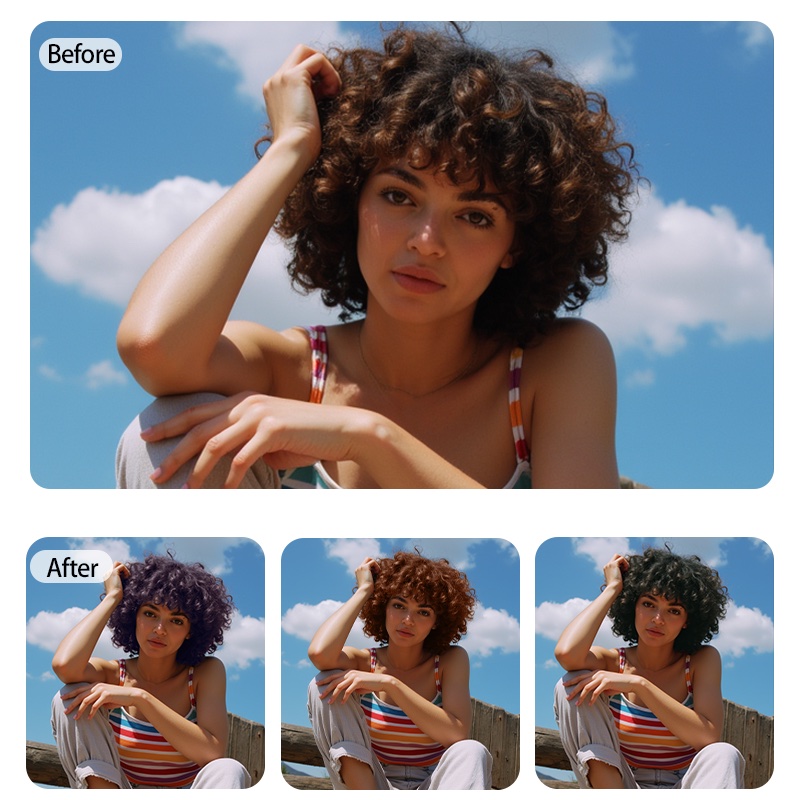
With the X-Design AI hair color changer, you can preview new and different hair colors in your picture in seconds. This color hair changer helps to detect the hair color automatically and assess how the chosen hair color will look on you. So, you will get a good idea of how a certain color will appear. You don’t need any experience; our tool will help you change your hair color online for free.
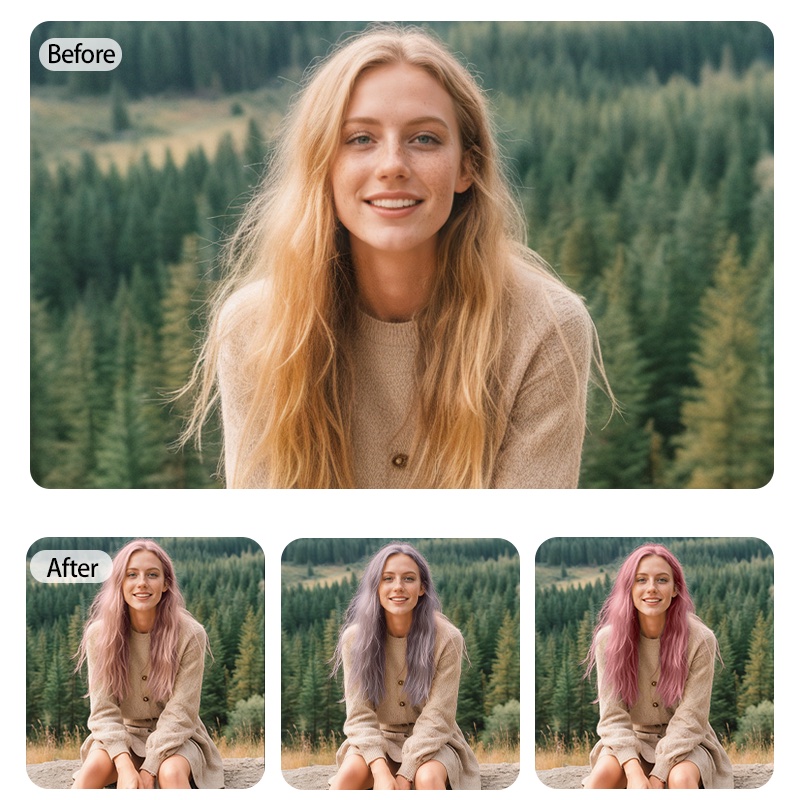
Natural-Looking Results
Our AI online hair color changer aims for realistic results, blending the new color naturally into your hair. Whether you want to pick a dark brown or red color, each will adjust according to your look. This tool also offers a real-time hair color preview that can assist in imagining potential changes before you choose one.

Flexible Color Picker
Our built-in hair color picker allows you to choose colors from a wide variety, including custom color tones. This way, you can easily match the desired color or experiment with different hair colors. This feature works well, as you can explore options through virtual hair dye, and you won't have to make permanent changes.
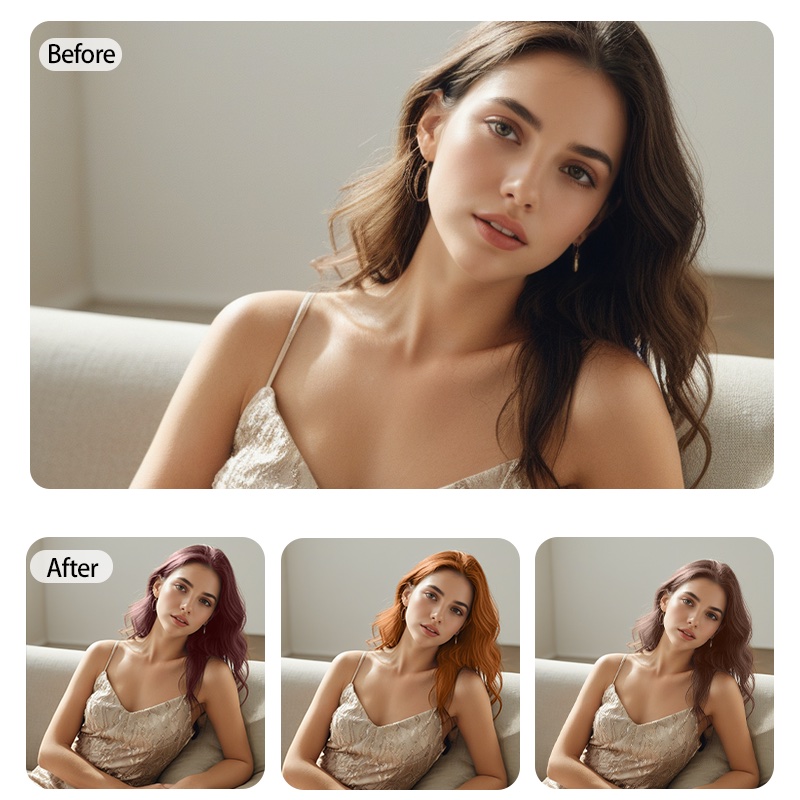
Flexible Photo Editing Options
X-Design also offers other image editing options in addition to the hair recoloring feature. You can change different things, like brightness, sharpen up the details, and adjust the contrast. Our virtual hair dye helps you enhance your image so that if you are planning to share or want to post it on social media, this tool can refine your overall look before posting.
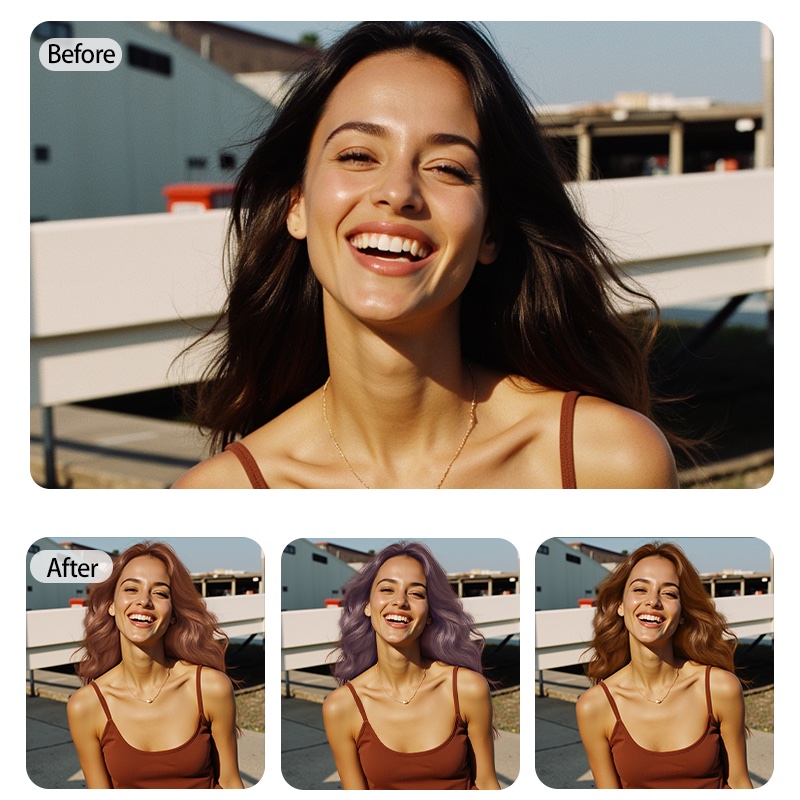
Switch Up Your Whole Look
Our online AI hair color changer tool assists you in hair recoloring and changing the colors of other parts of the image, like clothing and accessories. This is a helpful feature as you can see how different shades will look on your appearance. So, this AI free hair color changer assists you in balancing the whole look in just a few minutes by showing a hair color preview.
Frequently Asked Questions
How do you change hair color online using X-Design?
Can I edit the photos?
Yes, X-Design has different tools to edit image quality and lighting, and it can even recolor the other elements of the picture.
Will it change hair color naturally?
Yes. The AI hair color tool blends the color naturally with the hair for more realistic effects.
Can I try different hair colors in real-time?
Yes. You can switch the various hair colors in real-time and see how they look.
How well does it handle complex backgrounds?
Yes, the hair color changer tool is specially designed to handle complex backgrounds while focusing on precise hair detection.